.svg)
Most marketing teams set up a demo on their website and call it a day. But there are several other ways demos can work just as hard for your pipeline.
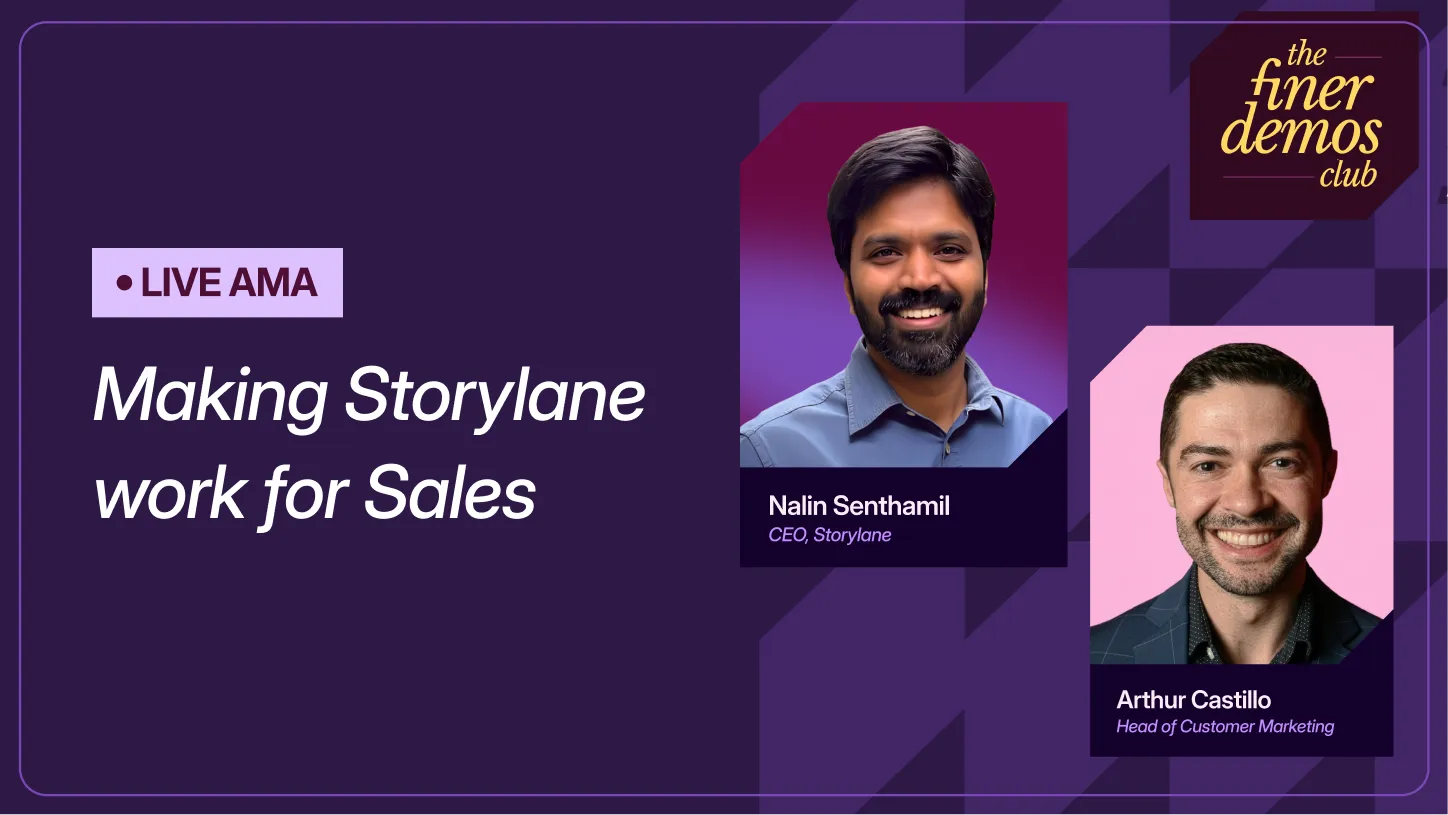
This AMA walks through how the most successful marketing teams use Storylane across campaigns, paid ads, conferences, product launches, and even AI search. We'll be anchoring each use case with real customer examples + results. And we'll be showing a few things on our roadmap live for the first time.
Here's what we're covering:
- How to set up website demos on key pages (beyond your homepage) to maximize conversions
- How to turn demo engagement into a retargeting signal for your LinkedIn and Google Ads
- How to make your demos discoverable by ChatGPT, Perplexity, and Google AI overviews
- How RepX Chat qualifies and converts website visitors without adding headcount
- How to embed demos in product emails, changelogs, and documentation
- How to run your conference booth without depending on wifi or a rep being free
Here's what this looks like in practice:
- ContactMonkey: $1.6M in pipeline attributed to their product tour
- Dreamdata: 40% of deals traced back to use case page demos
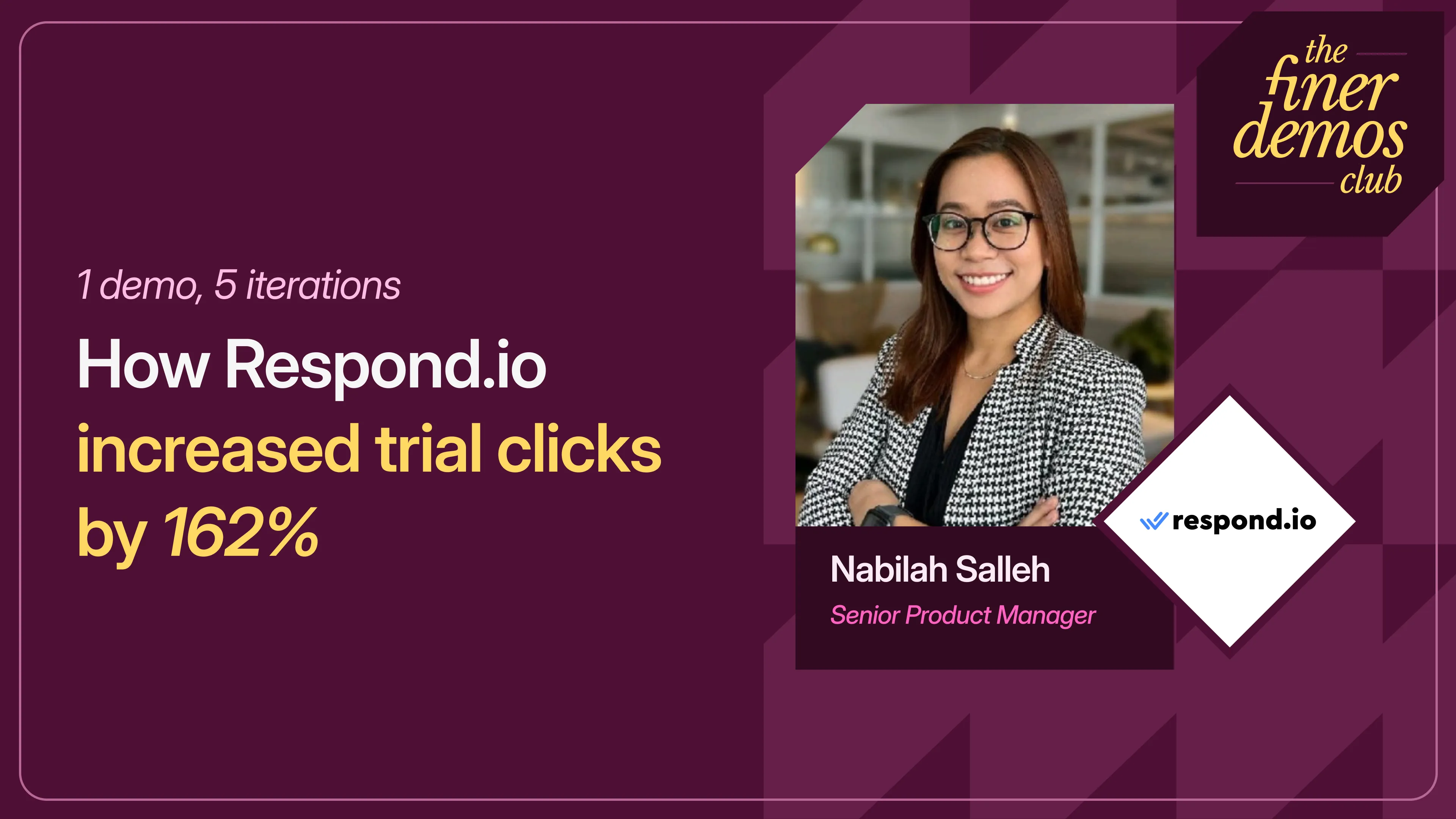
- Respond.io: 162% increase in trial clicks from their product tour
Arthur (Head of Community & Customer Marketing): Alright. Welcome everybody to part two of this AMA series with our CEO, Nalin. We'll give a couple of minutes for people to enter, but I know Storylane has a very global customer base, so I'd love to see where everybody is calling in from — just type it in the chat. London, Los Angeles, Calgary — shout out to Canada. Netherlands, right on. Robert, I remember seeing your questions, so I appreciate you tuning in; it's probably pretty late there. Utah and Indianapolis, amazing. A question from Paris — look at this, I love the international customer base. Germany. Montreal. Julia, good to see you — I know you mentioned you were going to attend, so feel free to grill us as well. Looks like we've got a good amount of people joining.
As a recap: the first one we did focused exclusively on the sales use case, and when we polled the audience at the end, you all wanted to hear more about the different ways you could use Storylane for marketing. So instead of organizing around personas — since marketers tend to have our hands in a lot of different places — we'll break it down by use case. We'll bucket it into the first one, which is everything on the website: how to use demos to convert your traffic, build a demo library, and get picked up by AI search. Then we'll switch over to the second bucket, which is more about how we keep buyers engaged after they leave your site — campaigns, ads, emails, conferences. In some cases Nalin is going to share his screen and go through a lot of these. We have some awesome customer examples from all of you to learn from.
One other thing I want to call out: a lot of you will ask your questions in the chat, but we do have a Q&A tab on the right side. If you could please ask your question there, that would be great — it makes it easier for us to keep track. We've received so many questions, so thank you all for submitting them. We've tried to bucket them based on the different use cases they apply to, but we'll have some live Q&A at the end, as well as sharing a little about the product roadmap — what's coming up, what we're holding ourselves accountable to from the end of the last one, and Nalin will share what we're going to be building in June. Colin from Spain — I love to see that; I wonder if it's the same Colin Campbell I know, and if he moved to Spain.
So without any further ado, let's start at the very top of the funnel. Most of you probably have a "book a demo" button on your website, but statistically, people are very happy if they convert 1% of traffic through that CTA. As many of you know, with "take a tour" or "see it in action," sometimes you get 40 to 60% click-through rates. So why don't we start there, Nalin? If people want to add an interactive demo to their home page and make sure they're following best practices — and Chloe had a question here that sets us up perfectly — how do we get the best engagement on a website demo? Ideal length, moments?
Nalin (Co-founder & CEO): Nice to meet you all. Excited for this session. As a quick note, the last session was purely focused on sales — how Storylane could be used in sales. I'll take this question, but then we're going to focus a lot more on marketing, a lot more on top of the funnel. That's how we started Storylane, with a lot of focus on marketing, so this is one of our bread-and-butter use cases from years back.
There are a few use cases. First: how do I look at conversions, and how do I put demos on the website itself? The most common use case for Storylane is adding demos to the website to drive more engagement with your buyers. You've probably seen how B2B buying has been transforming a lot — people don't want to jump in and talk to sales right away. They want to see what your product is doing and get a sense of it first. So putting the demo above the fold becomes super important. There are a lot of ways different customers have done it, so let me share my screen and walk you through a couple of examples — there are many more in our showcase as well.
So, if you go to our own showcase in Storylane, you'll see a lot of different demos our customers have used. We put out ones from real marketing sites where customers have used it in different ways — either at the top of the fold, in the top bar, embedded directly on the website, or sometimes more like a pop-up. Let me call out a couple of examples. One is a customer called respond.io. It's central on the website itself, with an animation or GIF that explains to the user what the experience is going to be. So as a buyer of this product, they come to the website and start interacting with what the product is offering. We call this embedding directly on your home page. We use a similar style on our own website as well. You can also use another version, which is a thicker CTA that opens up as a pop-up.
You'll see most of these top-of-funnel demos — we highly recommend not more than 12 to 15 steps, ideally 15 max, to take the value prop to your buyer very early so they know what it is. The best way to treat a key "moment" is what we call a pattern interrupt within your product steps — something that calls out something very different. Like in that first demo, the GIF looked very different, so immediately you want to tap on it and walk through it. And always have a CTA whenever you add a demo, so you drive them — either pop up a meeting calendar or take them to a page. Having a CTA is important so you can measure the conversions happening through these demos. When I click on this, you'll notice it opened the demo page, and all these links are tracked through UTM params, so you're able to convert them and track them at the same time.
Two things I'll add. You'll notice these are not gated — there's no lead form whatsoever. The general rule I recommend when you start thinking about conversion: if you have a PLG product, do not gate it. Since your product is product-led, people can sign up and try it; let them get a sneak peek of what it looks like, and then drive them toward conversion — a signup or talking to sales. On the other hand, if your product is not PLG — depending on your ACV, it could be a large ACV and more sales-driven — let's take Gong as an example. When you click "see it in action," they capture your email, and once the email is captured, they show you what the product is about. That's an example of gating, because they don't have a free signup. If you do have a PLG product, I recommend not gating.
Arthur: This is always a great topic of discussion — gated versus ungated. Tarafa — I hope I'm saying your name right — asked that question too: what's the right call? I think you nailed it: it depends on your main customer acquisition motion, whether it's product-led or sales-led. Respond.io, the first one we showed, has a free trial, and by showing it early — right as people get to the website — they actually increased their free trials by, I believe, 162%. So that clearly works for them. The other one we've highlighted in a past Demos Club webinar is ContactMonkey, and they gate it right from the get-go — they have a demo library. In their case study, they actually drove $1.6 million more in pipeline by having it there. Ranga, if you can drop that in the chat.
So ultimately, like Nalin says: PLG, you can ungate it; sales-led, maybe you gate it. At the end of the day, this is something I would test and experiment with, because for some people we've said, "Hey, maybe you should ungate it," and then when they gated it, it actually got more results for them. So it really depends on your audience.
Okay, the next question is from Chelsea, and it gets into solutions and use case pages. How do you build Storylane for different key players in the buyer cycle? A lot of people have this question, especially if they're selling to multiple personas. So I'd love to hear how you think about that.
Nalin: Definitely. Your solutions or use case page is going to be specific to what your product offers for that particular persona or vertical. So I'd recommend scoping your demos specific to that use case, and keeping the same size of demos — it's still on your website, top of the funnel, so not more than 15 steps — but with a lot more focus on that particular persona or use case. And always add more demos on different solutions and use case pages. These are typically the pages that get visited — your home page is the most visited, your pricing page gets a lot of visits, and then your product pages. You want people to come in and engage on your solutions page; it's a great way to add value by adding demos specific to those personas.
One example, if I can pull it up, is DreamData — Augusto shared that use case. In DreamData, they have a lot of different use cases. If I click through each one, they call out a specific page that talks specifically about that use case, with a demo. Interestingly, what we've seen is that calling out a specific case study within that — sometimes a quote from a customer, or a logo, or a quick one-line value prop — also adds a lot. For example, let's click on "optimize ad spend." You'll see an interactive demo, and as I scroll through the page, you start seeing customer quotes and examples within the page, because that's a typical solutions and use case page. This is a good example of how you can insert demos with some quotes, and those could come from your G2. So you can tailor it specifically.
With these pages, you want to drive more conversions from solutions pages. So again, I recommend creating engagement with about 15 steps. And one thing Storylane does is you can track who's engaging on these demos even if you don't gate them. If you're using HubSpot, Marketo, or Pardot, you don't necessarily have to put a lead form and capture them all the time. If somebody engages with a demo on your solutions page, we automatically identify who that user is the moment they come into your marketing automation stack. We can talk a bit later about how you measure that, but I recommend you integrate with one of these solutions, add the demos on these solutions pages, and start understanding what the conversion looks like — you'll be able to see this in your CRM quickly. DreamData added some stats too — I think they converted around 40% of their deal pipeline, Arthur, if you have that example.
Arthur: Yeah, I love this example. Again, it doesn't apply to everybody, but what they did specifically is transform their solutions pages into use case pages, and that in itself is an incredible hack. When people land on your website, they think, "How can I potentially use it?" And oftentimes we're very guilty in marketing of offering up a solution when we haven't necessarily talked about the problem. The way they've portrayed it here on the use case page — it was something like 8% of MQLs are generated through this page, so not a ton of traffic, but 40% of their closed-won revenue has viewed this page. So for them it's, "How do we get more traffic here?" Because once people view this, they see the interactive demos and the different use cases for DreamData, and they're often converting to revenue. I love that. Ranga just dropped the case study in there so you can read more about it. This was one of my favorite ones, where they really framed it up as the different use cases of DreamData.
Nalin: I also want to take a quick moment to talk about how you track this activity. You mentioned this page is less visited but drove the maximum pipeline — so how do you measure that within Storylane? How do I know it's working? I just pulled up a quick example. What we released is Deals in Storylane. If you use tools like Pardot, Marketo, HubSpot, or Salesforce, you integrate and connect your deals. Within Deals, you start seeing any of your pipeline, how much these are impacting it, and what the buying intent is — what signal you're seeing. This comes from the demo viewing, the intent in which they spend time in the demo, and how it's impacting your pipeline. You'd also know where these demos are embedded, on which pages. So you're able to trace it back and see, "Here's a deal that's going on, it's a high-intent form, and now I know they viewed the demos on certain pages — your solutions pages, your home page."
Arthur: This is great for everybody trying to prove the impact of their demos. We launched that recently, so it's something to keep an eye out for and test yourself. The next question, from Tanmay of Avalara: how do you make your demos visible to AI search and LLM-driven discovery? We were trying to figure out whether to drop this now or leave it for the product roadmap, but when this question came up, we said we can't wait. This is something I believe we just dropped within the past couple of days, right, Nalin?
Nalin: That's correct. In the last AMA, I mentioned we were going to release the ability to have LLM-friendly embeds, and we did that earlier this week. Let me show it directly, because it's a lot easier. When you go into your Storylane workspace, you click "share" — let's say you have a demo you want to embed. Typically you'd open the share pop-up, and you'll have different ways to embed: inline, overlay, pop-up. Now, what's happening more and more is you want LLMs like ChatGPT, Gemini, and Claude to be able to pick up the demos on your website. If you want that content — which is sometimes very bottom-of-funnel, explaining what your product does — to be picked up by these LLMs, I recommend toggling the "LLM-friendly" option. The moment you toggle that, take this embed code and drop it into your website. What this does is surface all the content in your demos inside those LLMs. When somebody is having a conversation about your product, asking questions, it can surface the info and also give a link to your home page where the demos are embedded, so you can drive traffic there too. We released this a few days back.
There are a lot of considerations around AI and how it needs to work, so one thing I highly recommend now is, with all the demos you're embedding on your website — if you haven't, you should — put them up. That's why I recommend putting them on more pages: solutions pages, your blog, your content, and of course your home pages and pricing pages — different places where you want to educate the buyer. It's not the same content; different demos for the different persona visiting a particular page. Make it LLM-friendly and embedded so you start seeing this content surface in those chat interfaces.
Arthur: Krista had a pretty timely question around this. Does this change the code on our website? Would we have to replace the code across our entire website? If people are seeing this and saying, "We have a bunch of Storylane demos embedded on our website," do they just toggle it? What's the workflow?
Nalin: You'll have to re-embed them. Yes — the workflow is you'll get a new version of the embed, which you'll have to put in. The content needs to be on your website in a form the LLMs can read, so re-embedding is the best way to do this.
Arthur: Awesome. Hopefully that answers your question, Krista — let us know. Okay, the next section — and we got a lot of these questions from customers, and it actually helped build the product roadmap itself: once they land on the website, how do we make sure they're able to find what they're looking for? This is actually why we built RepX. A lot of people are curious how a marketing team uses something like RepX on the website.
Nalin: RepX is our new product, which we launched about a month and a half back. To give a little overview, it's a conversational sales agent. I believe the future of the demos you're building and embedding on your website is this: as a buyer, you come to a website, and there are traditional chatbots — like Drift — that are rule-based. You need a way to have a real conversation on your website. I always say your website is your first product, because buyers come there; it's the gateway to what you do. They have a lot of questions when they come in, so they'll ask them, and you need a sales agent that's not pushy but is able to discover and answer those questions. That's the vision for why we started RepX, and it's a conversational sales agent.
Let me pull it up and show you a couple of examples. One is a customer who's live, and this is on our own website. At the bottom you'll see the RepX chat. It allows you to provide both a video and a voice avatar conversation that someone can have with the buyer. Once you click on it, you can connect with the agent and talk to it via audio or video, or ask questions. For example, "How is Storylane used by marketing teams?" One of our buyers comes in, asks that, and you can see it automatically pulled up quick content to show. I'm not talking right now, to keep it easy — in this case it's a chat-only interface, but you can keep it audio-only, video-only, or chat. The content is pulled up, and it can also pull up demos directly. If I ask, "Can you show me a demo on how to build in Storylane?", it pulls up a demo of how Storylane works, so I can see an example of how someone would build a demo. It's an easy, quick way to bring those experiences onto your website — solutions and pricing pages — so the user can ask questions and surface the right content: collateral, videos, demos. It's multimodal content that we're able to surface so users can have those conversations. That's basically what buyers want today. It's not just the demos on certain landing pages — fantastic as that is — but how do I surface content wherever they are? That's the reason we're going this way.
Arthur: We had a question from Adam Smith: at what point do you think people will become used to interacting with AI agents as part of initial product discovery, and is that just a natural evolution of the buyer's journey? We actually have one of our customers live here — Alan from Hospitable, one of the early customers of RepX. I'd love to hear your point on this. A lot of people, when they see RepX, think it's cool, but is it something buyers now want? We have internal data ourselves — I think we've had thousands of conversations on our website with RepX. I'd love to hear you speak to that.
Nalin: Absolutely. Since you mentioned Hospitable, I pulled it up — this is their pricing page, and you can launch that sales conversation experience there. To answer your question: I strongly believe the buyer's discovery time has to be shortened, and that's what's driving this whole thing. Look at how AI is helping produce lots and lots of content; lots of competing products and materials exist. The buyer's time shrinks dramatically, so they need answers instantly, and that's what we're all getting used to. Which means your website is your product. When buyers come in, you need to surface as much info as possible. That's the shift that's happening. So the traditional rule-based "first, go book a demo with a salesperson and pick a time" is going to put people off slowly over the next few years. The more answers I'm able to get about a particular product faster, the more likely that's the winner. That's essentially what's going to be happening in this market more and more.
Arthur: We're seeing it already. By the time they book a demo, they're kind of near the end — people want to educate themselves as much as possible by themselves. It's a trend we're seeing more and more. Next, we're going to talk about: if you have multiple products and use cases, you don't want to send every visitor to the same demo. Colin, you asked about embedding demos, and we had another question from Courtney: best ways to create hubs that guide users through a flow, and what do the highest-performing hubs look like? Courtney's interested in some examples. So talk to us about how people design hubs for different products and personas, and what good looks like.
Nalin: Definitely. I don't know if everybody's familiar with what a hub is. A hub is one of Storylane's offerings, which lets you bring multiple different types of content into a landing page — demos, videos, PDF documents, anything. There are two use cases. One is more on sales — you're probably familiar with digital sales rooms (DSRs). On similar lines, a salesperson can share a quick leave-behind with the right set of materials a particular prospect needs. You can create as many hubs as you want, very quickly, by putting together demos, videos, and content. It's also used in marketing, where you create landing pages that a buyer navigates through. You saw the DreamData example where they have their own use case pages built up. You don't want to build all of these use case pages, so we provide a way to customize template options or hubs that you can pull out, customize, and put on your website for users to navigate.
Let me pull up an example. I pulled up one of our customers, Klue. This is a Storylane-named landing page — it's the hub where they have different demos, videos, and everything together in one place to direct buyers to. Instead of clicking too many different places, they get all the resources in one spot on the marketing website. Any of those interactions opens the different Storylane demos. We call this a gallery view, which is one of a bunch of different styles you can customize. Inside our product, when you go to Hubs, you can create a hub if you have a bunch of demos built. We recently released the AI quick-build, so you can build a hub very quickly with a prompt, adding a bunch of demos or content. That lets you quickly test what a hub looks like. Again, two use cases: sales or marketing.
One more thing I want to call out: a lot of times we want to know what the buyer is interested in, since a hub has a lot of content. I recommend using something called interest screens. For example, on Storylane's hub, when the buyer first lands, we give them a list of options — "What are you most interested in?" Demos, hubs, pricing, RepX — the user customizes these options and then sees a custom version of what that looks like. With this, you get that data into your Salesforce, HubSpot, or Marketo, which gives you signals about what your users are most commonly interested in. The moment you continue, they get a hub — this is an example of a list view, not the gallery style I showed earlier, but the user can navigate through different demos and content. And it's not just demos — you can embed different types of content like YouTube or Vimeo, or upload pricing documents and case studies. That's one of the powerful things about the hub.
Arthur: Amazing. If you have more questions around hubs, let us know in the chat. This question I loved — it's from Julia: what are some creative ways marketers are using Storylane in their lead-gen campaigns? I'd love for you to talk about some of the ways we've seen customers use it. I know we're going to hit a couple of other places where LLMs are picking up visibility, so I won't steal your thunder, but share some of the ways you've seen marketing teams use Storylane creatively.
Nalin: Let's talk about the website itself. A couple of things. First, you saw the RepX chatbot, where we integrate a chat with showing demos. If you use any other chat interface today, you can add demos as part of the responses inside that chat. If you need to add demos inside whichever chatbot or sales agent you're using, I highly recommend adding demo links and the demo summary content inside them. We've seen a lot of customers start doing that. And if you don't want to use any of those, you can use RepX, which comes built-in to serve all of this. That's one place that's low-hanging that a lot of people don't take advantage of.
The second thing: if you haven't used it on G2 or other review sites, you should. Here's an example of a customer who, on their own G2 landing pages, put interactive demos right inside G2. So you can add these demos and walkthroughs on third-party websites as well — not just your own product pages. I'd definitely take advantage of those.
Another example is the pricing page. A lot of times customers add demos directly inside the pricing page. Or, once somebody books a meeting or exits from the pricing page, you can add a quick walkthrough — "Here's a quick walkthrough, since you didn't book a time with our salesperson" — because that's a low lift for a buyer. Exit pop-ups, definitely a lot more — somebody's on the website and wants to exit, and you pop up a message so they can see an example of a demo.
Arthur: Those are awesome. Even on the exit pop-up — one of the main reasons they got to your website is to see the product, and maybe they haven't been able to navigate to it. So it's a great way to say, "Hey, you probably came to our website to check out the product. Here it is." Amazing.
Okay, let's move on to the second bucket, which is: they've been on your website, maybe they even explored a demo and engaged with it, and now we're in that nurturing motion. How do we stay in front of them, keep them warm, and move them toward a sales conversation? A lot of people asked about paid ads and retargeting — Ruben in particular said paid ads, retargeting, all of that. How does Storylane fit in? I'd love for you to share how some of our customers, and we ourselves, use Storylane demo signals and run paid campaigns across Google and LinkedIn.
Nalin: Definitely. Let me break it into two parts. When you talk about demos and ads, let's put it into two buckets. One is where you're prospecting — these are new prospects you're trying to acquire. They haven't been to your website. You want to run ads against them, very specifically targeted toward your ICP. You can clearly call this out in your LinkedIn ads — "Here's an example, take a tour" — which leads them into more engagement on these demos. One customer did this: running an ad with a clear CTA that leads them into engagement on the demos. How do I track it? Inside these demos, you can add your LinkedIn pixel tracking — there's a simple way to add your LinkedIn pixel JavaScript, and we have a help article explaining exactly how. Then you can go into LinkedIn Campaigns and see the ROI you're getting. This is good for prospecting — put it as a GIF and run ads against it.
The second bucket: I run these ads, and people are coming to my website. How do I retarget them? This is where demo signal data is useful. Let me pull an example. This is our HubSpot account. The first bucket is simple — run ads, put in a demo, create a campaign, add the LinkedIn pixel tracking, and run it. Now, there are a bunch of people coming to your website and engaging with you. How do I reuse demo signals to retarget them? If you go inside HubSpot, you can create segments — a set of audiences. In our own segment, you can see "Storylane buying high intent." Storylane buying intent is the signal that, when somebody engages with a demo and spends a lot of time or clicks a CTA — high or medium intent — we write into your HubSpot. We do this with Marketo and any marketing tools you're using. Use this data to create a segment. Here's an audience size of 6,000 companies who have engaged with my demos — I want to create an audience. Once you build this segment, go into your ads and create a new campaign with that particular segment.
Let me pull up a quick walkthrough. Here's the audience. Go ahead and create a new audience, use the segment you just created — "Storylane high intent" or something. This is the contact segment; let me pull the company segment and pull in "Storylane buying intent." You can create similar segments on your end of who's engaging with the demos, select the ad account, call it "demo engagers," create an audience, and run targeted ads against them. This is one of the things a lot of customers don't take advantage of, because anybody engaging with your demos is typically very high intent — just like visiting a pricing page. So you can retarget these ads quickly this way.
Arthur: Great breakdown of how we use that and how customers can use additional signals in their ads. This next one I love, in terms of low-lift, high-impact campaigns, which we're calling pre-sales call campaigns. How do we use Storylane in pre-call sequences to warm up prospects before they ever talk to sales? Sometimes we suggested this as a sales play, but sales probably wouldn't create it themselves, so we're moving it to a marketing play. Can you share a couple of examples of how we do that? I know one customer did it as well.
Nalin: Definitely. The easiest solution right now: as a marketing team — product marketers — you build these different demos. A low lift is when somebody books a call with your sales team, you send a demo in an email follow-up. Sales may not set this up, but your ops team will, and you can provide the demo content to be inserted. Here's an example of an email. If somebody booked a demo, it can say, "I know you booked a time. Here are a few things you can preview about Storylane, and here are some links." You can see a quick GIF of the demo embedded, which gives the buyer an idea — they'll click through and see what you offer. So before they get on a conversation with a salesperson, they understand what your product is doing, and the conversation becomes more meaningful and deeper — less qualification at that stage and more of the nitty-gritty details about the product and solutioning.
We've been doing this ourselves for a long time. Let me pull out an example of what we've seen. We send these emails, and more than half the people who open the email click through and see the demo. That's huge in terms of people showing up and having those conversations. It's a great number, because if even 15% of people are clicking through the demos and engaging, and this happens right after somebody wants to chat with us — we send them a click-through of what they're going to see so they get prepared. This is one thing I'd recommend starting to do.
Arthur: I think this is fantastic. CampMinder was one of our customers that started showing demos prior to even having a first sales call, and they found it reduced their sales cycle time by two-thirds. Because then they're not having to focus too much on explaining what the product does — you're speaking more to the use case of the buyer and how they envision using your product. So that's a great little campaign.
Now, keeping an eye on time — we have about fifteen minutes. We talked a little about email campaigns and how to embed them, but maybe we can touch briefly on product releases and newsletters. Annie asked: how do you recommend using Storylane for follow-up and nurture campaigns? So maybe we can touch on that briefly, and then hit conferences before we get to product roadmap and Q&A.
Nalin: Sure. Email — I showed a bit about how you can embed this in a follow-up email from a sales perspective. Everybody is shipping constantly in terms of product releases and updates, so one thing I highly recommend is adding this inside the email tools you're already using — HubSpot, Intercom, whatever tool you use to share product updates. We provide a quick way to do that. When you go inside Storylane and click the share pop-up, you'll see an "email campaign" option. Depending on your email provider, we recommend copying the GIF or the link of the demo directly and inserting it. This lets you share not just email copy, but a quick walkthrough of what your product is and what the feature does. Here's an example of an email campaign we did from our HubSpot — a quick email with a GIF inserted, and when you click it, it opens the demo directly. The best part is it tracks who's engaging. It's a great way to engage existing customers and detect potential expansion opportunities. Because if you pick an email provider and send it, we know the email, and that data comes back to your HubSpot or Salesforce. So you can track: "Here's an email I sent out, this many people opened it, and this many actually engaged with the demo." Now you have high-intent customers or visitors from your campaign.
The second use case you mentioned, Arthur, is how it's used in customer success a bit — how you educate your buyers in your changelog. You're releasing products; sometimes you can put it in your documentation and other places. Here's an example: one of the customers, Recurly. You can have demos inside your documentation pages, changelogs, and other places. So the same demos you build, you start repurposing — putting them in an email campaign, adding them into documentation, or adding them into a changelog — so as visitors come in, they get access to it.
Arthur: Amazing. Alright, let's round it out with conferences. We had a question from Paul: what's the best way to use Storylane at a conference booth with multiple people walking by?
Nalin: Conferences are a big place where you can use Storylane demos or hubs. A couple of things you run into at conferences are the Wi-Fi and internet connection. One big advantage of Storylane demos is you can run them offline — you build a demo that runs offline, without internet, locally on your desktop. That's one big use case at conferences. If you're not familiar: go into any of these demos, and you'll be able to export it for offline use. The whole demo will be available offline. All you have to do is copy the link, open it, and it runs locally without internet. I highly recommend taking advantage of this, especially at a conference with bad Wi-Fi — you don't want a bad experience for your users.
The other use case: when you get into conference mode, I recommend putting it up on a monitor somewhere with a lot of people coming by who want to engage with it. Set up an autoplay, which means your demos automatically play like a video on a big monitor, set up to loop through. If somebody engages, it becomes interactive, so the user can click through it; if no one engages, it automatically loops. So you can have a large monitor with these demos looping. And if you're too crowded, have a QR code out at the booth — a lot of our customers embed demo or hub links directly within the QR code so people can scan and go. As part of the demo, you can capture leads by adding lead forms inside the demos. So there are multiple ways. I recommend taking a few QR codes of the demos and hubs, having monitors in autoplay loop mode, and running them offline so you're not worried about Wi-Fi.
Arthur: Ranga, if you have the link, you could drop it. We have an awesome use case around how Phenom built 35 demos for their flagship conference — a breakdown of everything they did. Talking to customers, what I've realized is that a conference demo really has to be eight to 10 steps, getting them to that moment. It's just enough to intrigue, so you can actually book a demo after you meet them in person. That's a great example.
Looking at time, we've got about ten minutes left. We wanted to do a product roadmap update so customers can see what's coming up and what we've shipped. So feel free to share a little under the hood, Nalin, on what we're building.
Nalin: Let's do that. Recently we released a few updates. We launched v2, version two of our editor, a few weeks back — all things released in May or late April. With the new editor, you'll have an intro/outro as a new type of guide, and we've improved our video editing capabilities. You can bring in different video clips, add zoom-in, cropping, blurring effects, and it's just a better experience overall. I showed briefly the AI hub builder, so you can build hubs very quickly and use that as a template to build more hubs. We released Deal Intelligence — I touched on it earlier — so anything where you add demos on your website, solutions pages, or campaigns, we highly recommend integrating your CRM and connecting your deals and pipeline so you start seeing the impact these demos have. It lets you retarget them in ads, and understand how your pipeline is getting filled out based on these demos. And LLM embeds, which we released a couple of days back — you'll have to re-embed them, toggle that, take the new embed, and allow your demos to be discoverable in all the LLMs out there. These are some of the recent updates from the last thirty days since the past AMA.
I'll also break down what's coming in June — we're being a bit more aggressive about what we're trying to ship in June. Hopefully we'll cover everything in June, but some might get pushed to July. First, MCP. We've been testing MCP internally for the last couple of weeks. MCP is going to allow you to build demos on the fly. With Gemini, OpenAI, whichever tool you use, you can prompt to build demos from a bunch of images or even videos. So MCP won't just let you personalize and pull in analytics — the basic things — it'll also let you create demos with a prompt, with the existing tool stacks you're using. This is a big one coming in June.
A couple of other things: a music experience for building the demo — how you add background music to that experience. Collaboration is one of the most requested ones — multiple teams and users using it. We originally planned to release it in May, but it'll get pushed to the first couple of weeks of June, where they can add comments, replies, and live presence — people are used to the Figma style, which is what the collaboration will do. Multi-language support — if your demos target different geographic locations, automatically switch between languages, and you embed them on websites. That's a big one coming up.
A few more: AI Doc, a new one. A lot of people want to take our demos and use them in SOPs and knowledge bases, generating documents out of them. So we have a way for AI to rewrite your entire demo into a document — not just a PDF; you can copy it and use it in different ways, in an editable format. Pretty excited about that, coming in June. And demo and hub templates — you have multiple demos you're building, but you want template consistency across all the demos and hub portfolios across different teams. So we're making templatizing easier.
With RepX, a couple of things. I mentioned RepX being an LLM chat sales agent — you'll be able to switch between audio, video, and chat. We started with only the avatar; we're adding audio-only and chat-only versions. That's already out on our website, but we're releasing a few more partners in June, so it'll get more adopted. You'll also see discovery and goals with RepX — you can define a goal, just like an SDR has a goal: qualify them, get them into a meeting. You'll be able to define this clearly so the agent follows up on conversations even if somebody comes in multiple times a day — it'll treat it like the same user and drive them toward the goal. So those are some of the things coming in June. We get a lot of feedback from you all through our CS teams, sales teams, and directly with me when I talk to some of you, and we keep updating our roadmap quickly based on that.
Arthur: This is fantastic. We only have about four minutes left — if your questions haven't been answered, feel free to drop them now in the Q&A or chat. We had a couple of questions submitted around the product roadmap. Jeff from Rubrik asked: Storylane is a proven marketing tactic. Where do you see the next evolution of the platform going?
Nalin: Thank you, Jeff. Where we see it is moving more and more into a full GTM funnel, where Storylane will be used a lot more. With the launch of RepX, you'll start seeing more on the top of the funnel being attacked with RepX. Think of RepX as multiple agents you'll be able to build with Storylane, for different tasks. One is the demo stream you're all used to. RepX is nothing but different sets of agents you build — the chat sales agent is the first agent we've launched. We plan to launch multiple agents; later this year you'll see one more agent come up. All with the goal of reducing the buying cycle, which means we're tackling the whole GTM funnel — at the top, in the middle when they're in POCs, and at closing. That's where we see Storylane being more and more efficient.
Arthur: Maybe this is a good follow-up question from Lindsay: of all the features on the roadmap, which do you think will have the largest market impact?
Nalin: Of the roadmap I just showed, the biggest impact you'll see is with MCP, quickly — being able to build demos in interfaces you're already working in. That's the one we're very excited about, shipping in the next few weeks, allowing you to build demos while you're chatting in Claude and Gemini. We don't want to ship MCP just for the sake of pulling data; what we're doing with our MCP is thinking about how to build with the tools you're all using. If you use Figma, I have a Figma plug-in with Claude — great, I have a prototype of a demo I want to build out because there's a release coming up, and you want to build it directly from the interface you're already working in. That's one thing that will have a big market impact.
Arthur: Couldn't agree more. A lot of our customers are starting to get more AI-native and want to build out of Claude directly, so this will be great. That kind of brings us to the end. Thank you all for joining, and for submitting your questions. Thank you, Renee and Nishat, for manning the Q&A and chat, and Ranga for helping with all that. We'll do part three — the final part of the series, unless you all want to keep this series going. I've been loving having Nalin here answering your questions. That one will be focused almost exclusively on RepX. We're getting a lot more questions from customers about how to use it for different use cases, so we'll share more data from ourselves and maybe some early customers and what they're building. Otherwise, Nalin, thank you so much for spending the time here, and thank you to all our customers for submitting those great questions.
Nalin: Absolutely. Thank you, it was great. In the follow-up, you'll have a link to my calendar — if you have any questions or want to book a time directly, I'll send it out so you can book time with me, and I'm happy to chat more about specific use cases. I'm excited about the next one — RepX. We'll talk about how to set them up, how to train them, how to go live, with some examples. And one more thing I'll call out for the next AMA: we'll talk about the next agent we'll be releasing later this year, so you'll be able to see what we're going to release after that.
Arthur: Amazing. So we'll aim for the end of June for that third AMA — you won't want to miss it. I'm excited to hear more about the new agent we're going to release. Awesome. Thanks so much for the feedback, everyone, and for staying active in the chat. Great questions. We'll see you on the next one. Bye.